
Koach
-
Posts
2291 -
Joined
-
Last visited
-
Days Won
20
Content Type
Profiles
Forums
Events
Blogs
Gallery
Everything posted by Koach
-
No, that's not really me lol
-
That's a pretty amazing picture. Great you can get that close to it. Next year, Broncos vs Rams in the superbowl!
-
How to prepare for the new format in Reader’s Chat At our last reader’s chat, we discussed having chats where we talked about things other than a short story. On those Saturdays, we’ll all show up prepared to talk about whatever topic has been selected. In some cases, that means typing information out ahead of time so we can copy and then paste the information to chat. For example, suppose you were going to write a paragraph or two about yourself, so that we can all get to know each other better. That would be a lot to type manually in the chat room while everyone is waiting. It would be much better to type it out ahead of time into Word, Wordpad, or Notepad (or any editor) and then paste it, one line at a time to the chat room. I emphasize that you should paste it one or two lines at a time because if you pasted all 2 or 3 paragraphs into a chat room all at once, you might flood people offline, including yourself, disconnecting them from the chat room or the chat server. You can use any word editor program like Notepad, Wordpad, or Word to prepare your paragraphs ahead of time. Then ,using one of the methods described below, copy a line of text and paste it into Readers Chat. When we talked about this idea last Saturday, some people said they weren’t sure how to Copy and Paste in chat. So, hopefully we’ll explain how to do that below. Select from one of the following options: Copy from a mIRC chat window using a mouse Copy from a Kiwi chat window using your mouse Copy from mIRC using a laptop without a mouse Copy from KiwiChat using laptop without a mouse
-
Copy from a mIRC chat window using a mouse Move your mouse cursor to the left side of the text you want to copy. Then, hold down the left mouse button and drag your mouse cursor across the text you want to copy, then let go of the mouse button. The text you highlight WILL NOT stay highlighted. But, you will have copied it. To test this, copy some text using the method explained above, then move your cursor to the area in miRC where you normally type. Then click the right mouse button and select Paste. You should then see your copied text. Note: you can also Paste by holding down the Ctrl key and pressing V. BACK to original message
-
Copy from a Kiwi chat window using your mouse Move your mouse cursor to the left side of the text you want to copy. then, hold down the left mouse button and drag your mouse cursor across the text you want to copy, then let go of the mouse button. The text you highlight WILL stay highlighted. Then you can click your right mouse button and select Copy. You’ll then have copied it. To test this, copy some text using the method explained above, then move your cursor to the area in KiwiChat where you normally type. Then right click and select Paste and you should then see the copied text. Note: you can also Paste by holding down the Ctrl key and pressing V. BACK to original message
-
Copy from mIRC using a laptop without a mouse Move your mouse cursor to the left side of the text you want to copy. Then, hold down the left mouse button and slide your finger across the touch pad and highlight the text you want to copy, then let go of the touch pad button. The text you highlight WILL NOT stay highlighted, but you will have copied it. To test this, copy some text using the method explained above, then move your cursor to the area in KiwiChat where you normally type. Then click the right button on the touchpad and select Paste. You should then see the copied text. You can also Paste by holding down the Ctrl key and pressing V. BACK to original message
-
Copy from KiwiChat using a laptop without a mouse Move your mouse cursor to the left side of the text you want to copy. Then, hold down the left button on your touchpad and slide your finger across the touch pad to highlight the text you want to copy, then let go of the touch pad button. The text you highlight WILL stay highlighted. Then you can click right touchpad button and select Copy. You’ll then have copied it. Note: you can also use Ctrl+C to copy the highlighted text. To test this, copy some text using the method explained above, then move your cursor to the area in KiwiChat where you normally type. Then click the right button on the touchpad and select Paste. You should then see the copied text. You can also Paste by holding down the Ctrl key and pressing V. BACK to original message
-
That looks great, That'll fill in nicely when the windmills fail Texas.
-
What a pretty cat. She sure looks peaceful and happy
-
Panda and Sparrow seem to get along much better now. I think Panda actually felt bad about hurting Sparrow. I'd have never thought it possible lol
-
LOL I love the comments above. Happy Birthday Patsy!! Notice how we are all using really large letters for you?
-
-
What were the approximate dates of those photos?
-
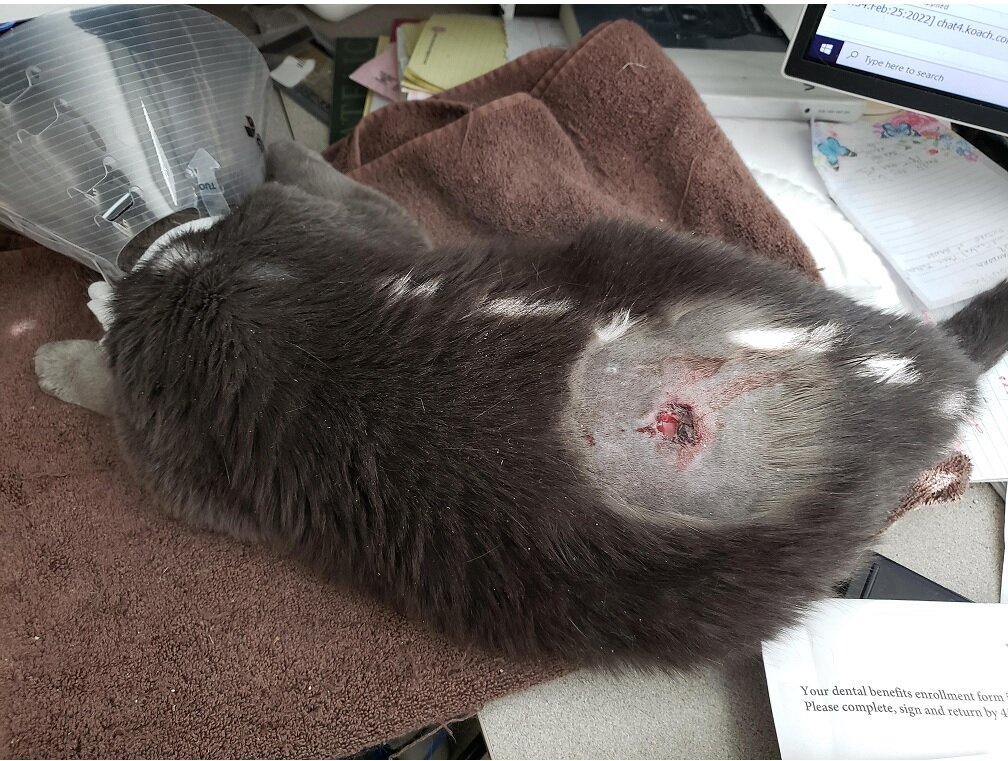
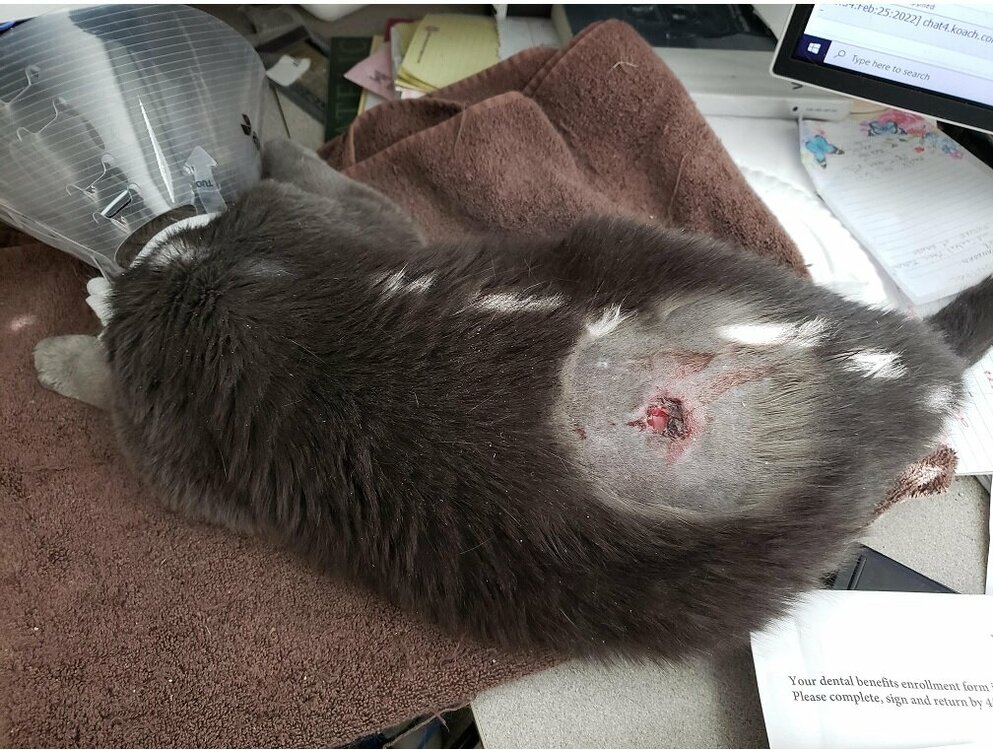
My poor cat, Sparrow, who gets attacked by my psycho cat Panda, all the time, had to go to the emergency room early this morning at 2:30 AM. Sparrow and Panda fought about 4 days ago leaving Sparrow with a bad wound on her back. It got infected and I had to rush her to the pet emergency room yesterday. She's feeling a little better today.
-
We've added a webpage that you can use to read chat memos, set your chat room settings, your nick settings, and so on. It makes things much easier than having to look up and type commands. Login to the page using your nickserv Name and your nickserv Password. If you have questions, you can ask them in chat or by leaving a message here. https://www.koach.com/services
-
We look through our bans to make sure we aren't banning people for being a bot every few hours (or more often). Hopefully, you weren't banned for long
-
That is a really beautiful tool box, Tony.
-
We have updated our servers and have new IP addresses. chat1.koach.com = 172.105.168.90 chat2.koach.com = 192.99.241.131 chat3.koach.com = 192.99.241.134 chat4.koach.com = 192.99.241.137 Our webchat will automatically use one of the above servers. Mirc users round robin type : /server irc.koach.com:+6697 (for SSL connections) /server irc.koach.com:6667 (for non SSL connections) Of course, you can use a specific server listed above too. Leave a message in our forum if you are having trouble connecting.
-
Great picture! Is that you driving and who was taking the picture?
-
A late Merry Christmas to everyone! I like that picture, Patsy.
-
I am slow, as usual lol Happy New Year everyone!
-
Here's a picture I saw in one of the news papers of the fires as it was spreading the first night;

-
Wishing everyone a Merry Christmas and Happy New Year! Koach
-
nice set up. I have my guitar room monitors set up like that too.
-
Yea, I have my favorites locked to the Taskbar too.